How to Open a Gate Account: Sign-Up, KYC and gStocks
Gate web sign-up and KYC from Gate's help centre, how to tell xStocks, Ondo and Gate's gStocks apart, and what to know about Gate stock perpetuals.
Gate has one of the widest ranges of stock-linked markets on this site: its spot market lists stock tokens from xStocks and Ondo plus Gate's own gStocks, and its futures market has more than four hundred stock and ETF perpetuals. Based on Gate's official help centre, this guide covers web sign-up and identity verification, then explains where to find each kind of stock token and the stock contracts, and what to check before trading.
Check the regional terms first
Gate publishes a list of restricted locations in its help centre. The terms we track show Gate listing mainland China, Hong Kong, Singapore, Malaysia, Thailand and Indonesia as restricted. The residence you choose at sign-up must be your real one, because verification checks your documents and residence; users in restricted locations are outside Gate's service even if the sign-up page opens. For other places, rely on Gate's current pages and announcements.
Signing up on the Gate website
- Open the official Gate website, check the address, and click Sign Up in the top right corner.
- Choose your country or region of residence, tick the User Agreement and Privacy Policy, and click Create Account.
- Choose email or phone, enter it and click Next. You can also sign up with Google, Telegram or a MetaMask wallet.
- Enter the verification code sent to your email or phone and click Next.
- Set your login password and click Confirm.
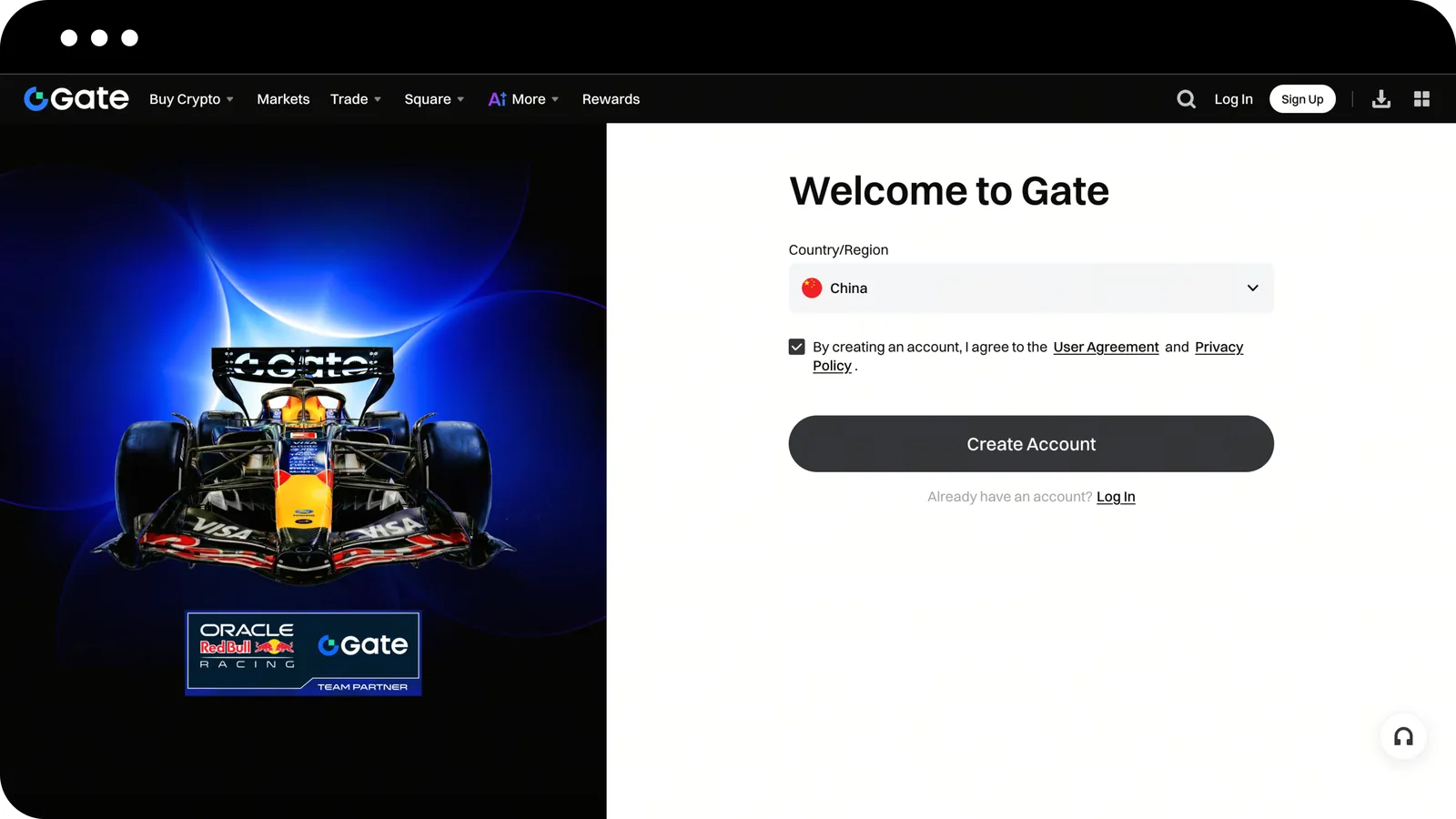
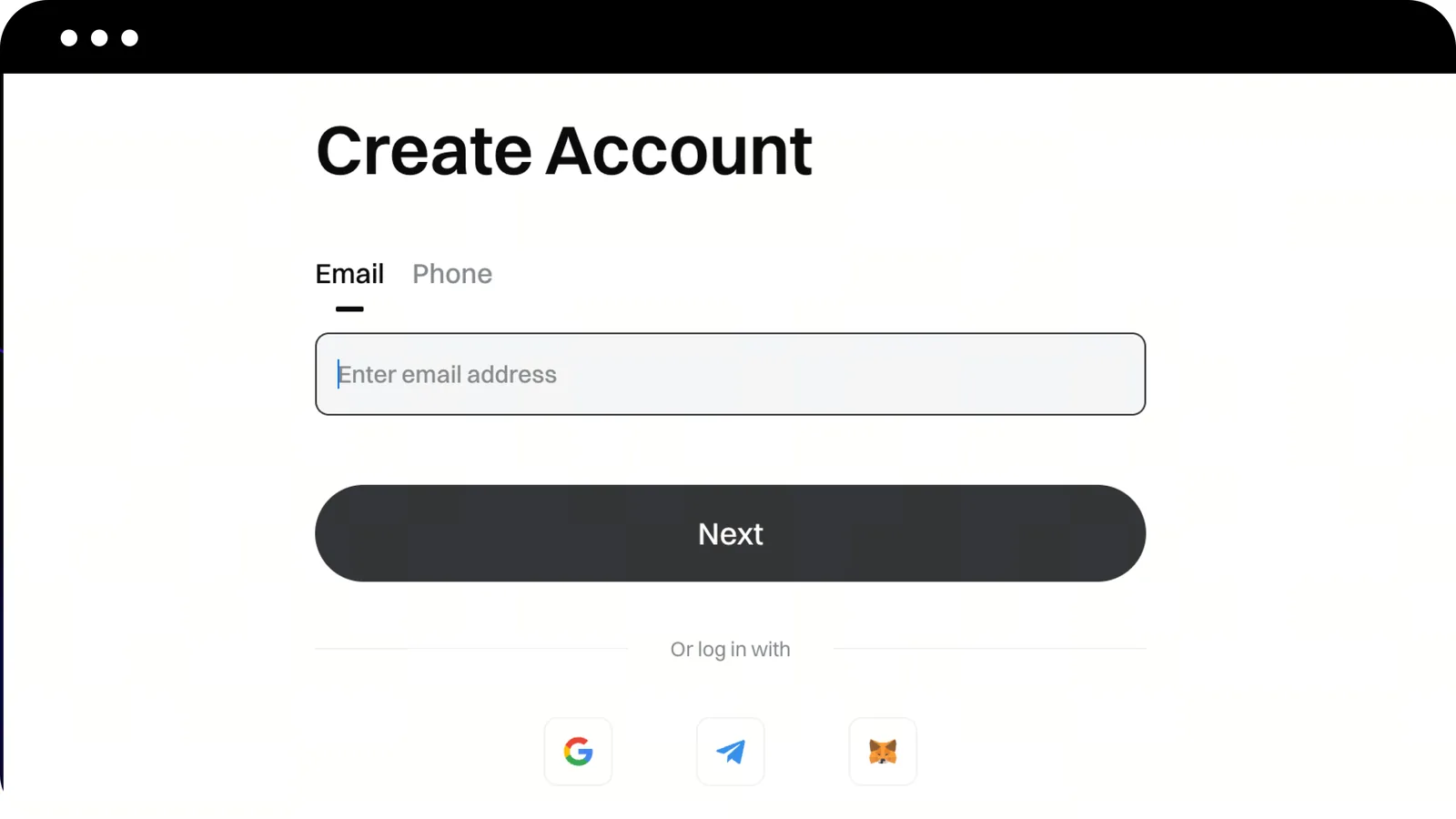
Gate notes that basic registration and identity verification are separate, so you can register in a few minutes and verify afterwards. You can then log in with your email, phone or username plus password and a verification code, or choose Scan to Login on the website and scan the QR code with the Gate app.
Identity verification (KYC)
Gate says verification is required for deposits, withdrawals, fiat trading and token subscriptions. Verification levels are set on a risk basis, each with its own permissions and limits. On the website, start from Identity Verification in your profile, choose a document type, upload photos and complete facial recognition as the page instructs.
When preparing, use your own valid original document with all text and corners clear, make sure the name and date of birth you enter match it, and keep your face well lit and unobstructed during facial recognition. Gate's help centre says review usually takes between 10 minutes and 12 hours; if a submission is returned, add what the reason asks for and resubmit.
After verification, turn on two-factor authentication (Google Authenticator) and set a fund password in the security settings, make sure the linked email and phone will stay in use, and migrate the authenticator before changing phones.
After opening an account: telling three kinds of stock tokens apart
Stock tokens on Gate spot come from three series with similar names, so tell them apart before buying:
| Series | Pair format | Issuer and dividends |
|---|---|---|
| xStocks | TSLAX_USDT, NVDAX_USDT | Issued by Backed; dividends become more shares per token |
| Ondo | TSLAON_USDT, SPYON_USDT | Issued by Ondo Finance; dividends are reinvested into the token's value |
| gStocks | AMZNG_USDT, SPYG_USDT | Launched by Gate, which states they are backed 1:1 by shares and that dividends are credited to the account automatically |
gStocks were launched by Gate in July 2026, and their symbols are the ticker plus G. Do not confuse them with US tickers that already end in G: SPYG_USDT on Gate is the gStocks token for the S&P 500 ETF (SPY), not the US growth ETF called SPYG. Check the token's full name before buying.
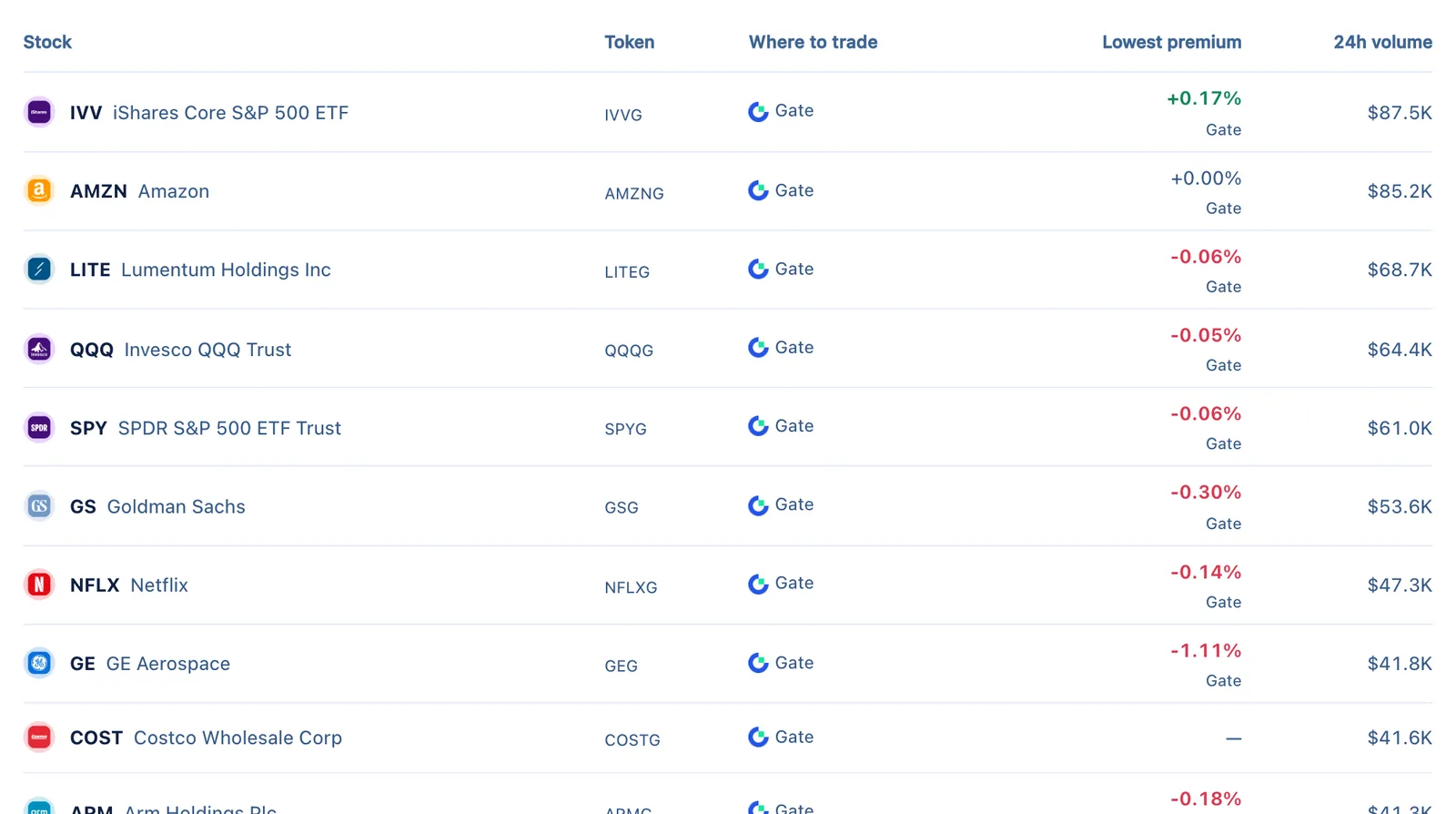
The three series often differ by a few tenths of a percent on Gate, and their volumes differ far more. Every stock page here puts them in one table, so sorting by premium shows the cheaper one. xStocks and Ondo handle dividends differently, so watch the shares per token when comparing; see how stock token dividends work.
Gate stock perpetuals
Gate's stock contracts are USDT-margined perpetuals quoted as TSLA_USDT, AAPL_USDT and so on, found under the stock category of the futures trading page. Gate says its US stock contracts use real-time prices from US exchanges such as Nasdaq and NYSE as index constituents. In our latest data, most Gate stock contracts allow up to 20x leverage and some popular ones more; rely on the order page.
As elsewhere, stock contracts are derivatives without share ownership. Watch funding and your liquidation price, and remember that the index is not live while US markets are closed and prices can gap at the open. See stock perpetuals and funding rates.
Checklist before your first deposit
- Confirm that your residence is not on Gate's restricted list and that local rules allow you to use an offshore exchange.
- Finish identity verification and security setup (2FA and fund password) before moving any money in.
- Decide which product you actually want: a spot token you can hold, or a leveraged contract that needs margin management.
- For tokens, open the stock page on this site and compare the xStocks, Ondo and gStocks prices and volumes for that stock on Gate and elsewhere.
- When depositing USDT, check the network on both sides and send a small test amount first.
Frequently asked questions
Can I use Gate without verification?
You can log in and browse, but deposits, withdrawals, fiat trading and other main functions require verification.
Should I buy xStocks, Ondo or gStocks?
Compare price and volume first, then dividend handling and whether you can move the token. xStocks and Ondo support on-chain transfers to your own wallet; for gStocks, follow Gate's product terms on withdrawals and custody.
Review has taken more than 12 hours. What now?
Check the status and any message on the verification page, add materials if they were returned, and if there is still no result, contact Gate support only through the official website or app.
Official sources and review date
Based on Gate's help-centre articles on web registration and login (updated 2026-01-26) and identity verification, and the gStocks launch announcement (2026-07-03), reviewed on October 4, 2026. Sign-up screenshots are from Gate's help centre. See the Gate venue page for sign-up and regional terms. This guide explains procedures and is not investment advice.