Binance Account Setup: Registration, KYC and Recovery
Set up a Binance account with a document checklist, verification troubleshooting and a recovery plan. Check product access before funding your account.
A useful Binance account setup ends with more than a working login. You should know which service serves your residence, what verification remains outstanding, and how you would recover access if your phone disappeared. This guide is for an individual opening an account; company onboarding is a separate process.
Before you start: choose the right account context
Start from the official service available where you actually live. An English interface is not evidence of eligibility, and an overseas passport does not by itself settle which service you should use. Check applicable terms before entering personal information. Our Binance venue page provides a starting point for reviewing regional terms.
Make a short preparation list: a contact method you control, your current identity document, a device with a working camera, and a secure place for recovery information. If you already have an account, attempt account recovery first. Creating another login can make it harder to establish which account holds your verification history.
Registration, verification and access: three different states
- 01Establish a loginUse an offered personal registration method, verify the contact details requested and create a unique password.
- 02Verify your identityOpen the verification area and follow the document and liveness instructions shown for your account.
- 03Secure recoverySet up an available second factor and review how you would regain access after losing a device.
- 04Check the intended productReview the specific service you want before transferring funds. A verified profile is not universal product approval.
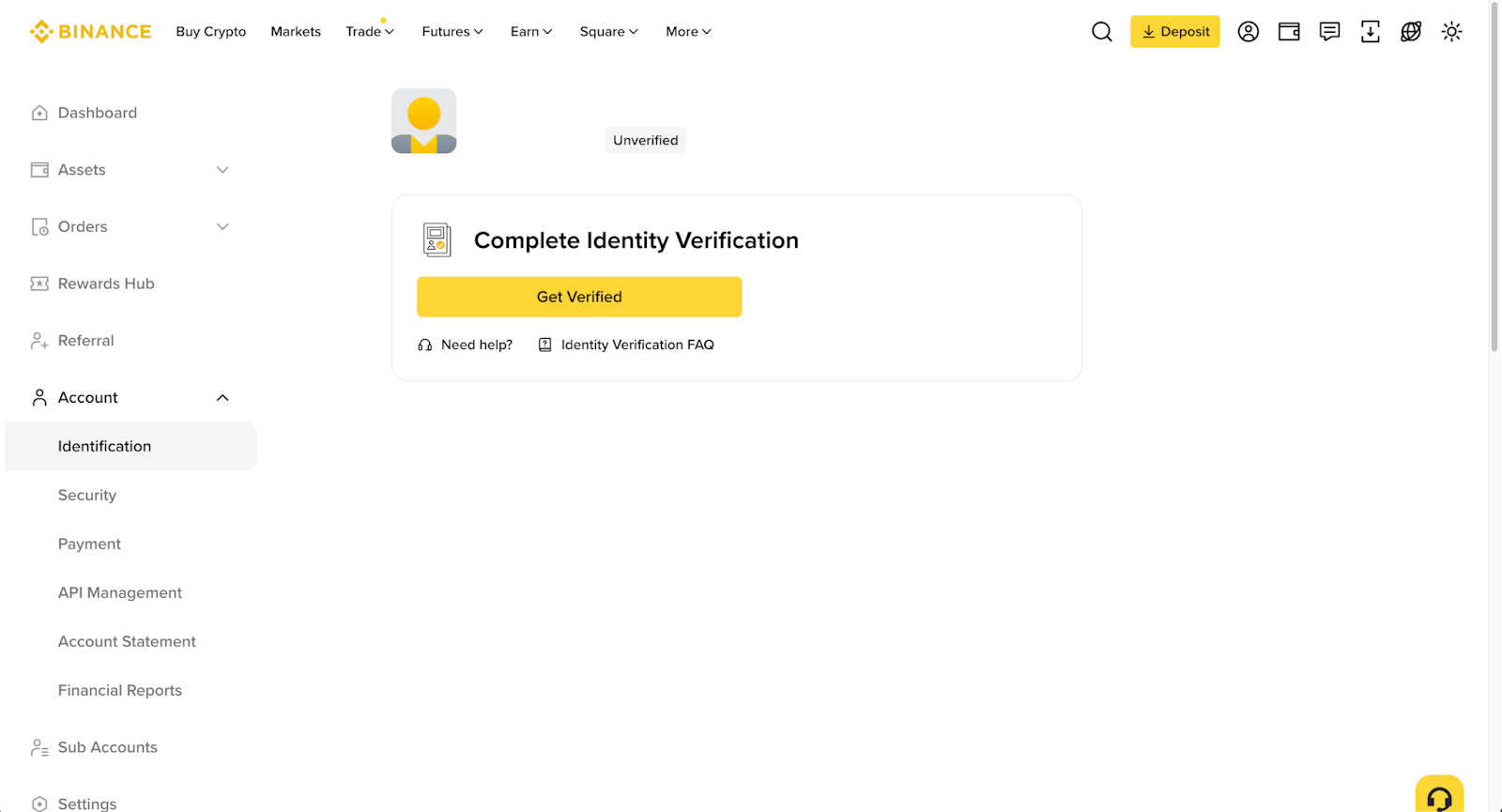
The numbered map is an editorial overview; the screenshots are credited examples from Binance documentation. Menu labels can differ between the website, mobile app and local service versions. Keep the official registration instructions linked below open if your screen differs.
What documents do you need for Binance KYC?
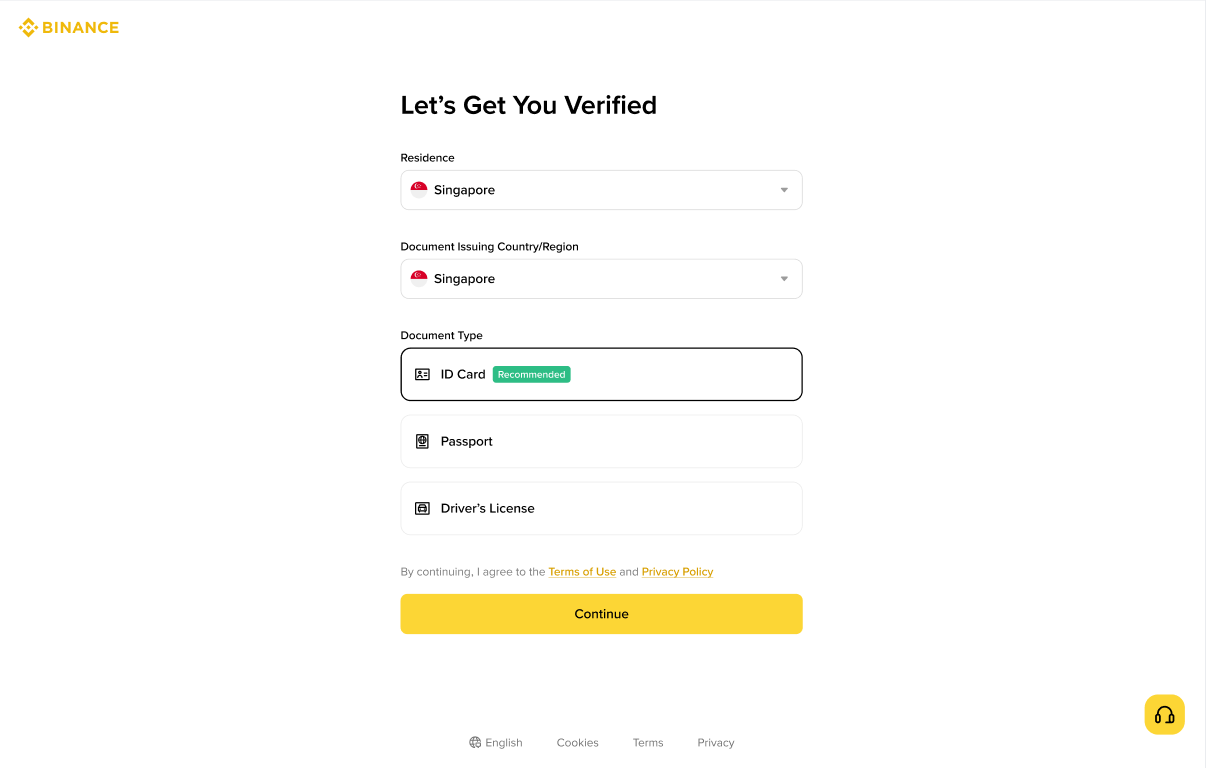
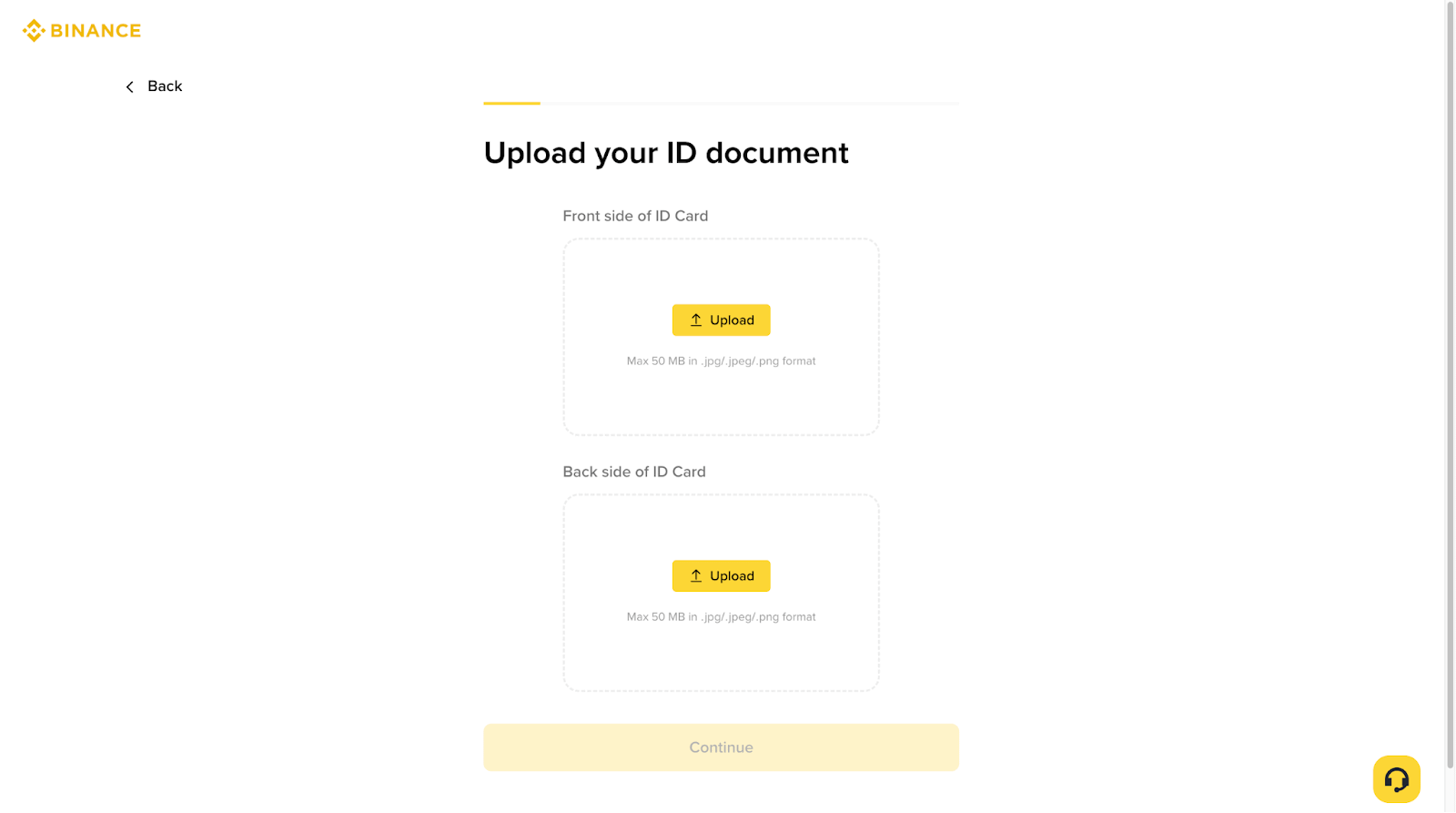
Use the document types offered after entering your residence and document-issuing location. Have the original available, and check that the details you enter match it. A practical pre-submission review is to compare each field against the document rather than retyping names or dates from memory.
If address evidence is requested, check its accepted type and age separately from the identity document. It should identify you and the residence being verified. A bank statement or utility document that is accepted in one jurisdiction is not automatically suitable everywhere. The official address guide contains regional differences; use the requirements attached to your account.
How to handle a verification problem without starting over
First identify the stage that failed. A missing registration email, a rejected document and a pending review need different responses. Keep a private record of the error text, submission time and support reference. Do not publish identity documents or security codes when asking for help.
- No contact code: check the destination, spam or message filtering and whether you are reading the newest message. Respect the resend timer.
- Document rejected: read the stated reason before replacing it. Repeating an unreadable upload is unlikely to fix image quality; an expired document needs a valid replacement.
- Review pending: check for a request for additional information. Use the timeframe displayed in your account when deciding when to follow up.
- Details have changed: use the official identity-update process. Do not substitute someone else's identity to keep an application moving.
Build a recovery plan before your first deposit
Consider a simple scenario: your phone stops working tomorrow. Can you still access the registration email? Do you know where your authenticator recovery information is stored? Could someone with the same device unlock both your mailbox and your exchange account? These questions help expose dependencies while there is still time to fix them.
Use a unique password, enable an available second factor and store recovery material securely. Before retiring a device, confirm that replacement access works. An anti-phishing code adds a recognisable marker to supported Binance emails; it is a clue to inspect, not permission to trust every embedded link. Open the official service independently when a message asks you to act urgently.
Questions about opening a Binance account
Do I need a referral code to register?
The registration instructions treat referrals as optional. Evaluate any offer using its current terms, including tasks and eligibility. This guide does not promise a discount, reward or accelerated review.
Can I use a work email?
Think about long-term control before choosing one. If leaving an employer would remove access, a personal address you can retain may be easier to manage. Whatever you choose, protect the mailbox as part of your account recovery setup.
How long will Binance verification take?
Review time can vary. Check the status and estimate displayed for your application; there is no guaranteed completion time in this guide. A request for more evidence is an outstanding action, not simply a longer queue.
Does verification let me buy tokenized stocks?
You still need to check availability and terms for the particular product. For the trading decision that comes after account setup, read our guide to stock tokens and stock perpetuals. It explains why a spot token and a leveraged contract require different checks.
Sources and scope
Public documentation reviewed on 23 September 2026. This is an independently written onboarding guide, not a claim of a completed account-opening test. Account-specific requirements take precedence.
- Binance app registration — registration methods and optional referrals.
- Personal identity verification — document checks and identity updates.
- Binance proof-of-address requirements — document criteria and jurisdiction-specific age limits.
- Binance anti-phishing code — email identification settings.