How to Open a Bitget Account: Sign-Up, KYC and Stock Futures
Bitget web sign-up and identity verification from Bitget's help centre, plus the trading hours, margin, leverage and closure rules of Bitget stock futures.
Bitget's stock-linked products are mainly contracts: we track more than three hundred of its stock and ETF perpetuals (which Bitget calls stock or RWA futures) and several pre-IPO perpetuals on private companies. Based on Bitget's official help centre, this guide covers web sign-up, identity verification and common problems, and explains the trading hours, margin and leverage rules to understand before your first stock contract.
Check the regional terms first
Bitget's terms of use list the regions it does not serve. The terms we track show Bitget listing Hong Kong, Singapore, Malaysia and Thailand as restricted. The terms do not mention mainland China, but that does not mean local law allows it; residents must still follow local rules on crypto trading (see buying stock tokens by region). A venue can also open different products in different places, so check whether stock contracts appear in your account.
Signing up on the Bitget website
- Open the official Bitget website in your browser, check the address to avoid phishing sites, and click Sign Up in the top right corner of the homepage.
- Choose a sign-up method: email, or mobile number (entered without the country code).
- Enter a referral code if you have one (optional and case sensitive), read and tick the User Agreement and Privacy Policy, and click Next. You can also sign up with Google, Apple, Telegram or a wallet.
- Set a password of 8 to 32 characters with at least one number, one uppercase letter and one special character; click Next and solve the captcha.
- Enter the 6-digit code sent to your email or phone and click Sign Up.
- Log in, open Security in your profile settings and enable two-factor authentication (2FA).
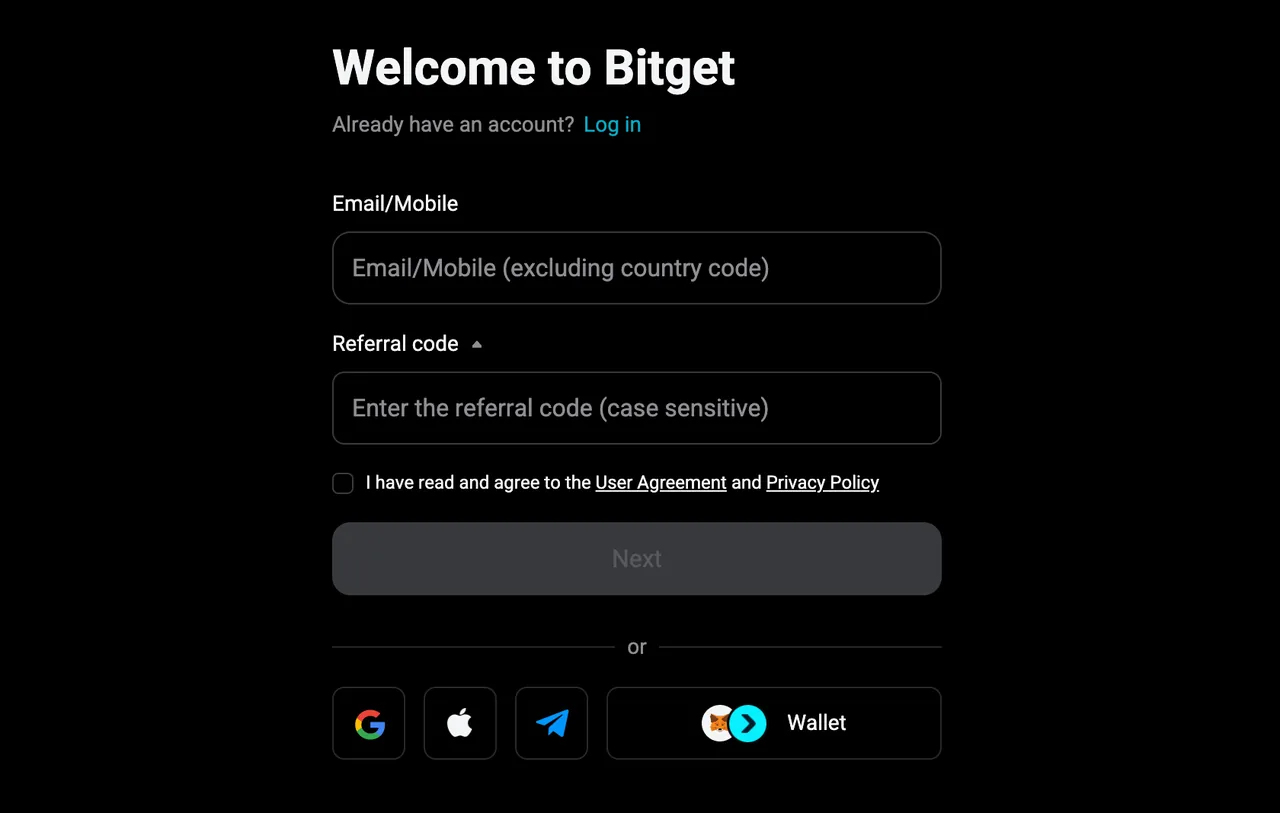
From Bitget's FAQ: registration is free and needs no documents; you choose either email or phone when registering and can link the other later in security settings; if a code does not arrive, check spam folders and the details you entered, then retry or submit a ticket.
Identity verification (KYC)
Verification unlocks full services such as withdrawals, deposits and trading. On the website:
- Log in, click your profile icon in the top right, choose Identity Verification and click Verify under Individual Verification.
- Choose your country or region of residence and the issuing country or region, then the ID type, and click Continue. Accepted documents vary by country.
- Enter your full name exactly as on the document; a middle name goes with the first name.
- Scan the QR code with your phone and photograph the document as instructed, clearly and without cropping; allow camera access.
- Complete facial verification: use a plain background and good lighting without backlight, remove hats and glasses, keep your face centred and follow prompts such as turning your head or blinking.
- After submitting, the status changes to Under Review and you are notified by email.
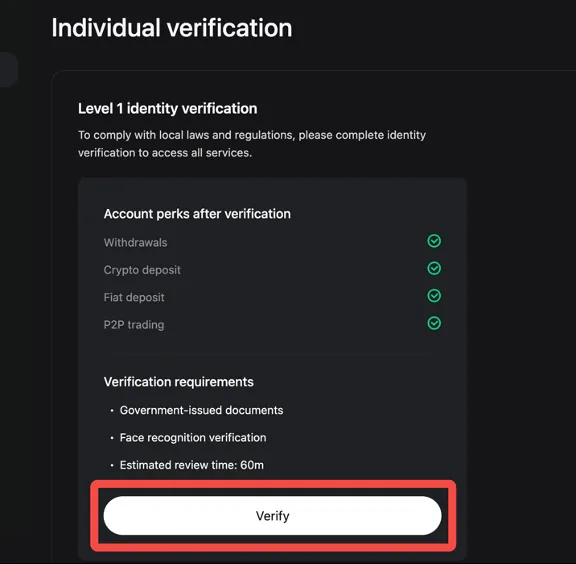
Timing: the verification page shows an estimate of 60 minutes, while Bitget's written guide says review typically takes one business day. If it takes longer than that, submit a ticket with your user ID (UID). A rejection email states the reason; fix it and resubmit.
After opening an account: rules for Bitget stock contracts
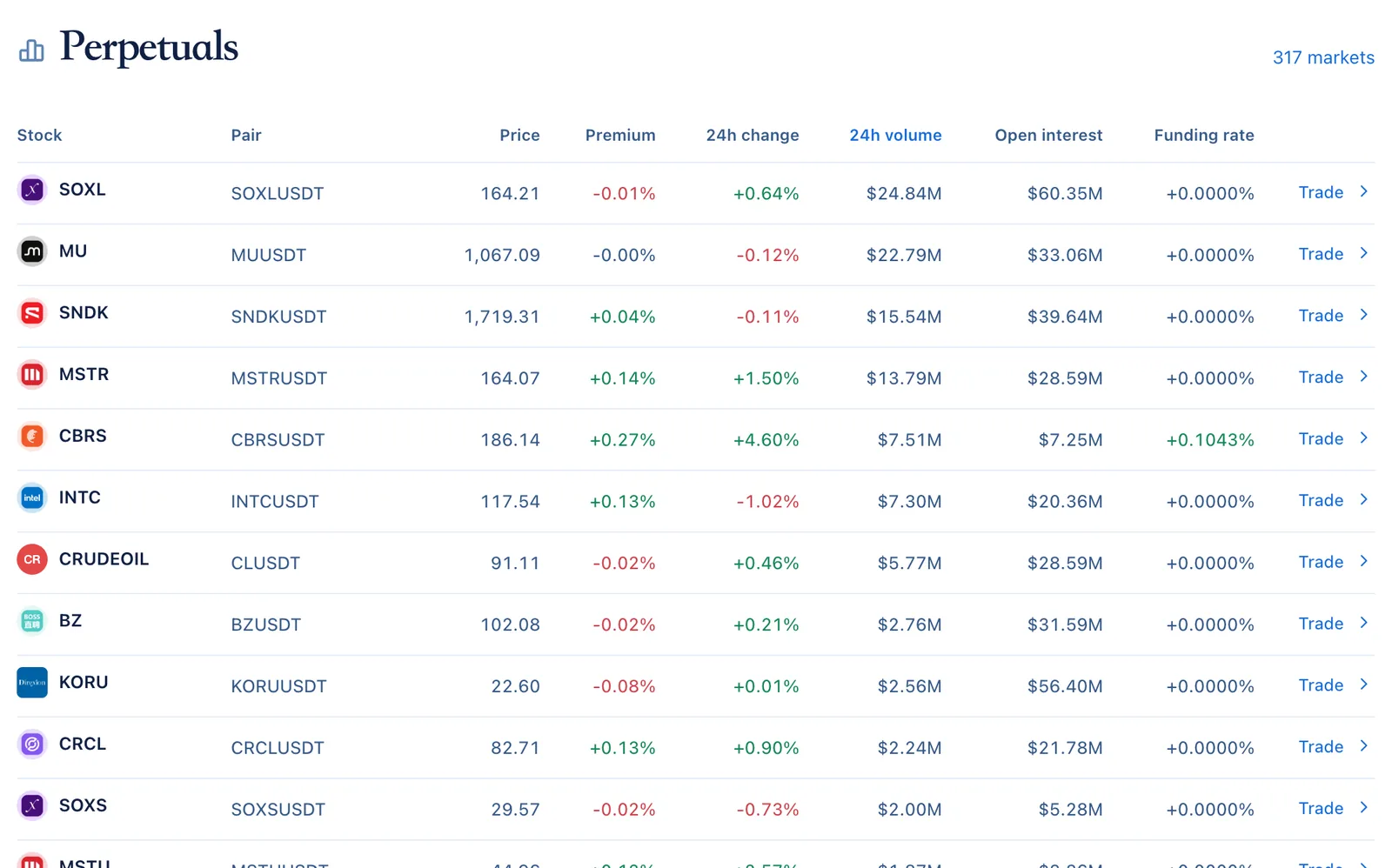
To trade stock prices on Bitget you mainly use USDT-margined stock perpetuals, quoted as TSLAUSDT, NVDAUSDT and so on. The screenshot below shows the stock contract list on our Bitget venue page, sortable by volume, open interest and funding rate.
Rules to understand before opening a position:
- Trading hours: a September 2025 Bitget announcement set stock futures to trade five days a week, 24 hours a day (during US daylight saving time, Monday 08:00 to Saturday 08:00 UTC+8), closed at weekends and on US market holidays. In July 2026 Bitget introduced 24/7 trading for US stocks. Whether the contract you trade is open at weekends is shown on the trading page and in the latest announcements.
- Margin and leverage: Bitget's earlier stock futures description specified isolated margin only and a maximum of 10x. In our latest data, most Bitget stock contracts allow up to 20x, and a few popular ones more. Rely on the order page for margin modes and leverage; our stock pages also list each contract's maximum leverage under "More metrics".
- While closed: when Bitget launched its RWA index futures it said the mark price is frozen during closures, so positions are not liquidated because of the closure, and funding pauses until trading resumes. Rules may change with trading hours, so follow the contract specification; prices can gap at the reopening, so holding over a weekend is still risky.
- Product type: stock contracts are derivatives; you hold no shares and no shareholder rights.
Bitget also offers pre-IPO perpetuals on private companies, which switch references under set rules after a listing; see pre-IPO perpetuals. For funding calculations, see stock perpetuals and funding rates.
Checklist before your first deposit
- Confirm that your residence is not on Bitget's restricted list and that local rules allow you to use an offshore exchange.
- Finish identity verification and turn on 2FA before moving any money in.
- Check on the trading page whether the stock contract you want is open now, and which margin mode and leverage it offers.
- Estimate funding costs for the period you plan to hold, and decide in advance how much loss you would accept before closing.
- When depositing USDT, check the network on both sides and send a small test amount first.
Frequently asked questions
Do I need documents to register on Bitget?
No. Registration needs only an email or phone number; documents and face recognition are needed for identity verification.
Can I link both email and phone?
You choose one when registering and can add the other in security settings later, for login verification and recovery.
My verification was rejected. What should I do?
Read the reason in the email. Common causes are unclear photos, a name that does not match the document, or failed face verification. Fix the issue and resubmit; Bitget also documents how to reset verification.
Does Bitget have stock token spot markets?
The Bitget stock markets we track are all perpetuals. For tokens you can move to a wallet, see xStocks vs Ondo vs bStocks.
Official sources and review date
Based on Bitget's help-centre articles on web registration, web identity verification, the stock futures trading hours announcement (2025-09-24) and 24/7 US stock trading (2026-07-17), reviewed on October 4, 2026. Sign-up and verification screenshots are from Bitget's help centre. See the Bitget venue page for sign-up and regional terms. This guide explains procedures and is not investment advice.